Personalisation Tools in Marketo:
- Tokens
- Dynamic Chat
- Dynamic Content
- Velocity Scripting
- Self-Service Flow Steps

Length 3 min read
Date May 16, 2024
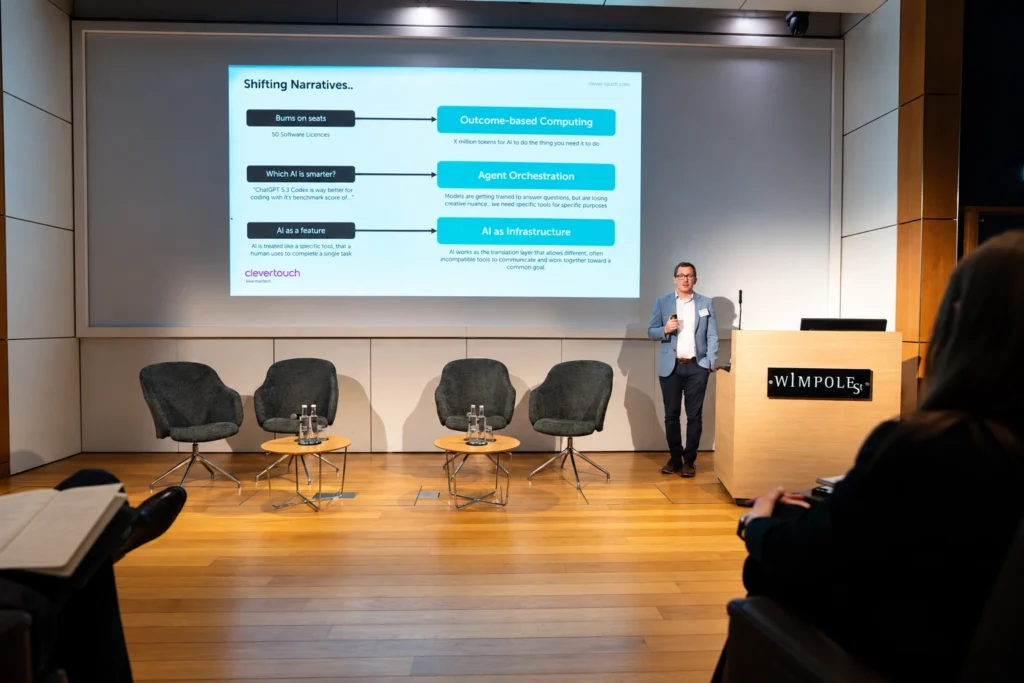
On 16th May, I hosted a webinar demonstrating the value of using Velocity Script in Marketo to personalise your marketing. I highlighted some real-life use cases and a live in-platform demo to support my overview of the feature. Read on for a summary of the content – and if you’d like to receive the webinar recording, email us at marketing@clever-touch.com and we’ll send it over.
Firstly, I should highlight that Velocity Script is one of a number of personalisation tools in Marketo. It’s a feature for more experienced Marketo users who have already mastered or are comfortable with Tokens and Dynamic Content.
Use Cases:
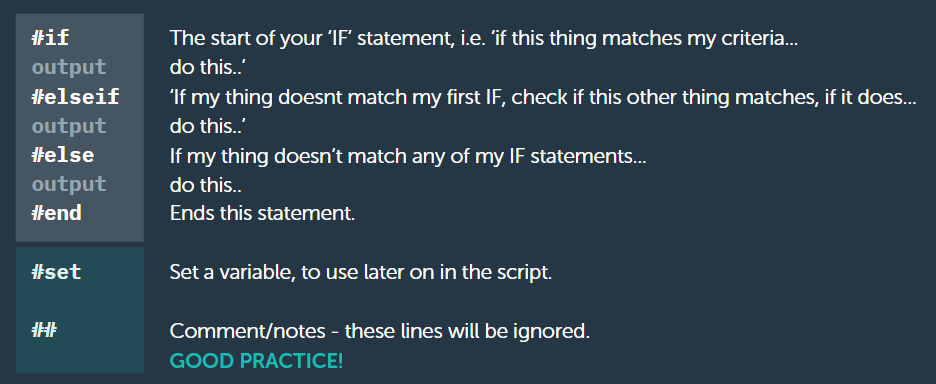
Syntax:
Whilst Velocity is a coding language designed for templating and scripting HTML content (which may sound a little intimidating to some marketers!), if you’ve used formulas in Excel before, you’re already on your way to writing Velocity script.
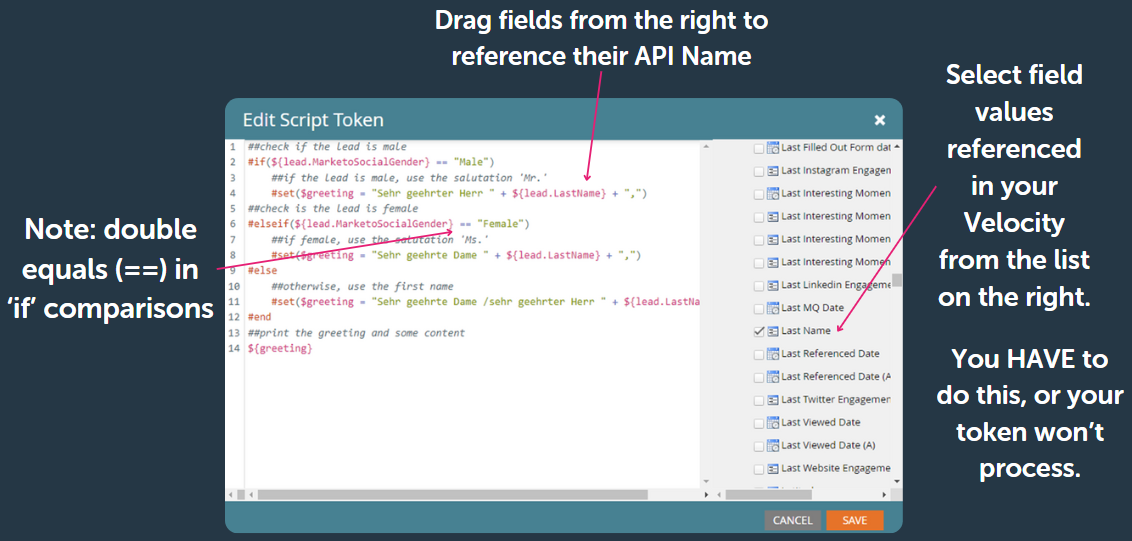
Personalised Greeting:
Useful to use if a token value changes the wider context of a sentence. It’s easier and more flexible than using Dynamic Content in some scenarios.
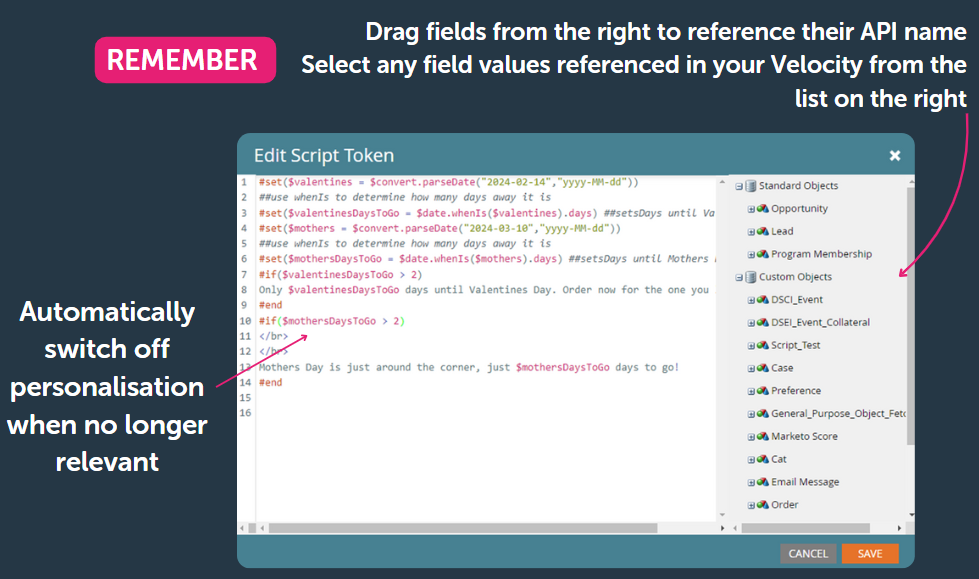
Date Manipulation:
Complex range of date manipulation allowing you to find time differences, change formats and compare two dates.
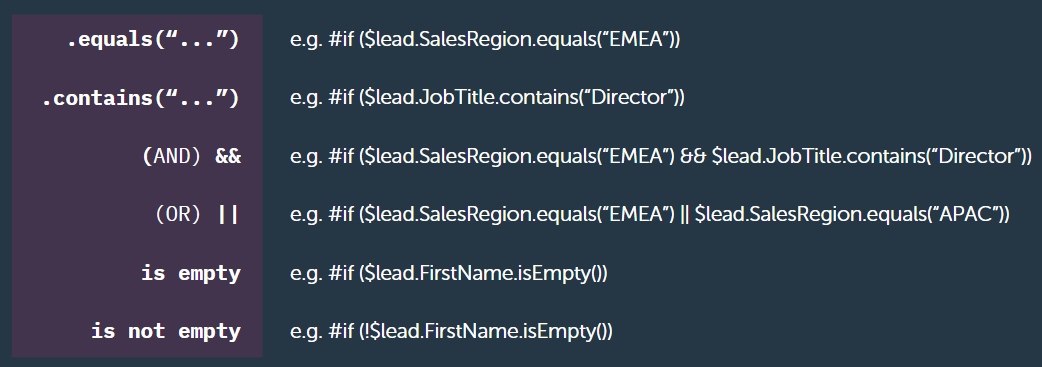
Operator Cheatsheet:
By combining various operators – you can achieve a greater level of complexity in your criteria logic:
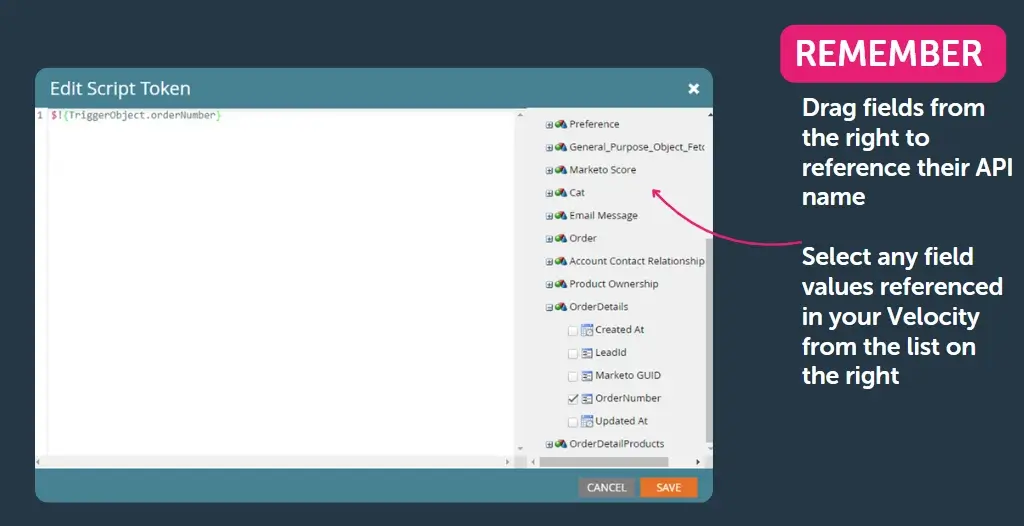
Data from Custom Objects
$!{TriggerObject} allows you to access Custom Object data when the email is sent from a Smart Campaign using the ‘Added to Custom Object’ trigger. It can be useful as it guarantees the info in email will relate to that Custom Object record (in this case, the order).
${OrderDetails.get(0).OrderNumber} is similar, but only returns the most recently updated CO record – not guaranteed to be the right one.
This does not work on ‘Custom Object Updated’ triggers – it can be difficult to access Custom Object data accurately after the record has been created – various techniques to resolve this!
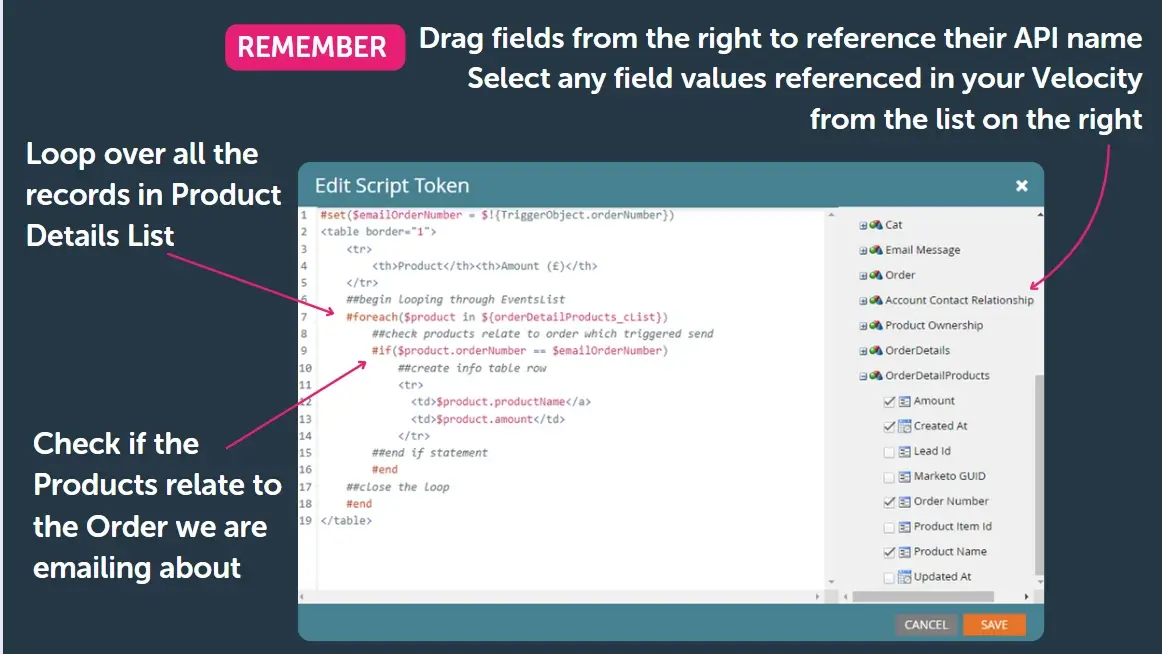
Dynamic Tables
Loop over Custom Object data to create Dynamic Tables or Lists with a variable number of items. This is limited to 10 records max – plan a fall back if 10 records are returned e.g. directing to a view online link. Its useful in some scenarios but its important to note that it doesn’t scale forever.
To summarise… Here are Chris’ Top Tips for using Velocity Scripting in Marketo:
Join our our Marketo Certified Experts through our tailored, interactive and engaging training courses to drive your team to success within your platform. Check out our introductory Marketo Essentials or more extensive Marketo Complete courses that will get you familiar with the platform, understand its full capabilities and be campaign-ready in just two days. Contact us to find out more.

Trusted by 500+ organisations
worldwide