Creating Pardot Layout Templates from a Webpage

If you would like to replicate a page from your website into a layout template in Pardot, this tip explains how to do it.
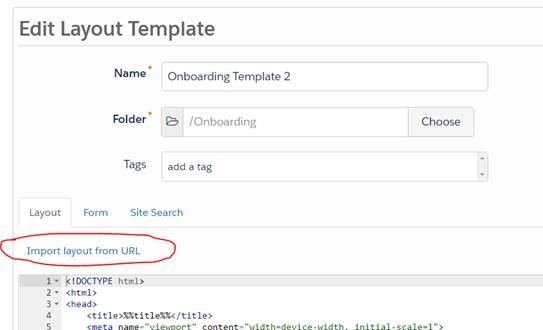
Navigate to Marketing > Landing Pages > Layout templates > Add new layout template.Click ‘Import layout from URL’ (as seen below).
This will open up a section for you to paste the page URL into.
Once you have pasted the URL, click ‘Import Now’. The webpage will be recreated with all styles, javascript and image files already hosted. If you want these hosted in Pardot then you will need to upload them directly.
To upload these files go to Marketing > Content > Files.
All you need to do now is replace the file URL’s in your code with your new Pardot URLs.


Built for marketing leaders looking at the bigger picture.
Let's build what's next


Trusted by 500+ organisations
worldwide