Custom sync filter using Marketo – restrict who enters your marketing database from CRM

When you set the initial sync between Marketo and CRM, by default all CRM data automatically transfers to Marketo. As CRM instances are typically comprised of several data types, there may be some non-marketing data you do not wish to have transferred into your Marketo instance.
In this situation, Marketo users would typically restrict the CRM user linked to Marketo so only a certain record group is visible. However, the outcome of this method is dependent on having the correct setup and the visibility the user has. Should a change in permissions happen, this would affect the user and in turn could affect the data sync between Marketo and CRM.
Marketo do have a solution to this. It’s called ‘Custom Sync Filter’.
The Custom Sync Filter is essentially a checkbox – added on both the Lead and Contact object – which acts as the identifier to whether the record should sync over to Marketo.
The checkbox can be setup to cater for the following scenarios:
- If the checkbox ‘Sync with Marketo’ is ‘True’, the record will sync to Marketo
- If checkbox ‘Do Not Sync’ is ‘True’, the record will not be visible in the sync
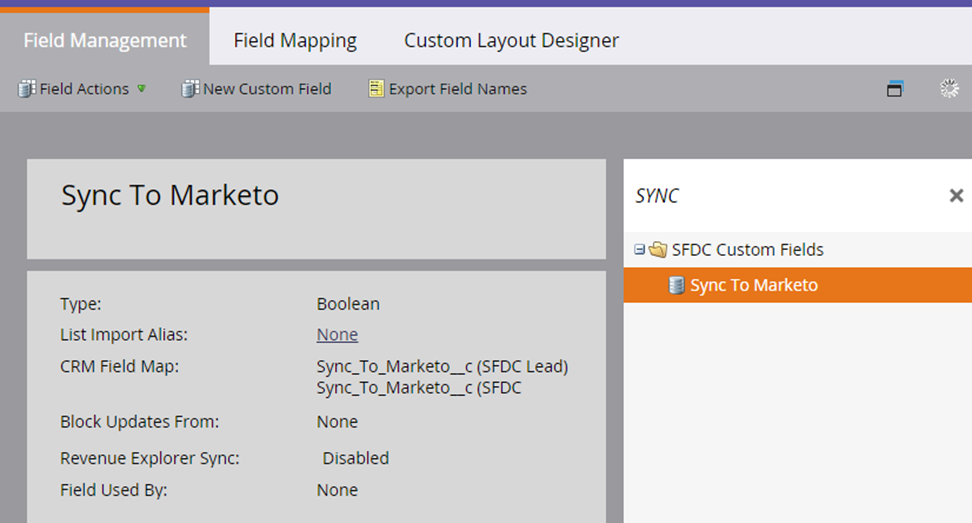
The ongoing management of records to Marketo can be populated manually or automatically in CRM via a workflow rule.
There is a lot to be aware of regarding this piece of functionality. Please get in touch if you’d like to find out more.




Built for marketing leaders looking at the bigger picture.
Let's build what's next


Trusted by 500+ organisations
worldwide